Pages

Showing posts with label review. Show all posts

Tuesday, April 8, 2014

LG G2 D802 Review and Price

LG G2 (D802) Review and Price - Hello guys, I will share information about the new smartphone info. Previously, I have written about the LG Optimus L4 II Dual E445 Review. Now I want to give you about a info of the LG G2 (D802) Review and Price. What about performance? Lets talk about this.

Physically, the LG G2 almost has the same dimensions as its closest competitor is Samsungs flagship product, the Galaxy S4. G2 is less than 2mm taller and about 1mm wider and thicker. As for weight, G2 about 13 grams heavier than the S4. Another interesting point of G2 is on the screen. This is thanks to a super thin frame on the right and left of the screen G2. According to LG, 5.2 inch landscape display is the maximum size that can be owned by a mobile phone to stay comfortably operated with one hand. This is more than a mobile phone is more worthy of being in the category phablet. G2 screen display is also very sharp, it is reasonable considering this phone has a rank of a very high pixel density (424 ppi).

LG G2 (D802) Review and Price
Overall, the experience of using the operating system Android Jellybean with Optimus UI on the LG G2 is not much different from Optimus G Pro, especially on the main menu such as homescreen and app drawer. Users can perform deep customization at G2 by determining the composition of a virtual button on the dock at the bottom area of ​​the screen, change the animation when you unlock the screen, replace the system fonts, even use photos as the application icon on the homescreen.

As one of the contenders for the title of best current smartphone, the G2 uses the latest and greatest chipset made ​​by Qualcomm Snapdragon 800 is the clockspeed is not half-hearted 2.26GHz. With hood reversed savage specifications, the G2 offers the best performance in class Quadcore. The only flaw in the hardware sector in G2 is the unavailability of a microSD slot to increase memory storage capacity. LG G2 does have internal storage space large enough with a choice of 16 and 32 GB.

LG G2 (D802) Review and Price
As with its competitors, LG G2 uses the main camera of 13MP, and a secondary camera of 2.1MP. The camera phone is also equipped with a number of interesting features. One interesting thing is, features OIS (Optical Image Stabilization) feature which will minimize the shock when users record video.

Besides, available 12 main modes including Normal, Shot and Clear (allows the user to remove unwanted objects in the background), HDR, Panorama, VR Panorama (sort mode Photo Sphere), Burst Shot, Beauty Shot, Dual camera shot, Night scene, Sports, time Catch shot (such as time shift feature on the BlackBerry 10) and Intelligent Auto mode.

In the sector of connectivity, the user is presented a complete super choice. Starting from operator data paths support up to 4G until an infrared transmitter to accommodate the remote control feature on the G2. It means that users can enable the phone as a remote for a variety of devices ranging from TVs, DVD players, BluRay to air-conditioning (AC).

LG G2 (D802) Price

We got the info about the price of the LG G2 is $558. The price difference is certainly present in some countries. You can immediately visited the nearest store to get a definite price.

Only that the discussion about the LG G2 (D802) Review and Price, look forward to the next info from us. Thanks for visit.
Read More..

LG Optimus L7 II P713 Review The Brilliant Smartphone

LG Optimus L7 II P713 Review - Hy guys, today I want to discuss about the new smartphone by LG. As Optimus family, L7 Optimus L7 II use Optimus UI with look smooth and responsive. For a closer look at what features are pinned, heres the description.

Design

Dimension: 122.2 x 66.6 x 9.7 mm and weighs 115.5 grams; full touchscreen; plastics material; the power/lock and 3.5mm audio jack port; volume; microUSB port. As the successor to the L Series, LG Optimus L7 II P713 has rounded contours and smooth curves that fit your hand and this smartphone without a hitch. The smartphone feels very comfortable when held.

LG Optimus L7 II P713 Review
On the front, this smartphone has 2 touch buttons (back and menu) and one physical home button once smartLED. SmartLED button will give off light with a different color for an incoming call, SMS and email.

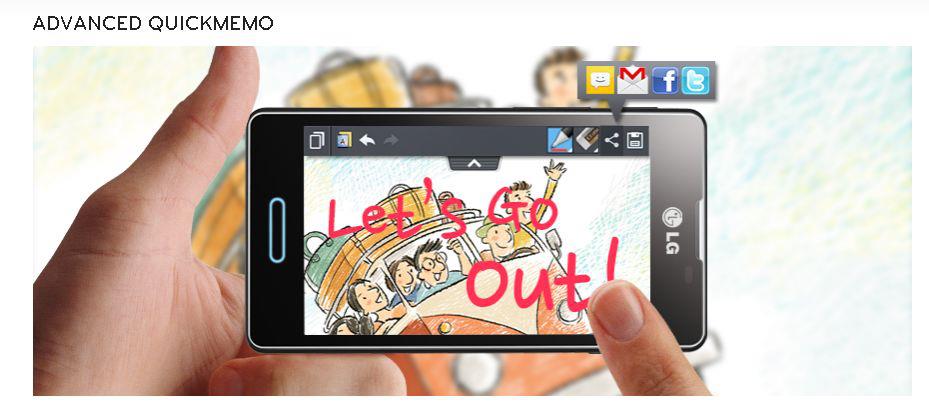
On the right there is the power/lock, while a 3.5mm audio jack port located on the top left. Volume button, camera button or QuickMemo, located on the left. At the bottom there is a charger or data port. On the back there is a rear camera complete with LED flash and also the LG logo transparent.

Display & User Interface

IPS LCD capacitive touchscreen, 16M colors, 480 x 800 pixels, 4.3 inches (~ 217 ppi pixel density), multi-touch. LG Optimus L7 II P713 can display clear and bright colors well when opening images, videos and more. Touch screen too sensitive even when used to run heavy games like temple run.

LG Optimus L7 II P713 Review
With v4.1.2 Jelly Bean OS, this smartphone has met the needs of the latest OS. Optimus UI are pinned on this phone look slick and soft when operated. Go to page menu, youll be treated to a variety of iconic horizontal grid format. Row of menu icons are embedded is divided into three categories namely application, downloads and widgets.

Processor and Memory

Processor: Dual-core 1GHz Qualcomm MSM8225, Snapdragon Cortex-A5, GPU: Adreno 203, RAM: 768 MB, Internal: 4GB, External: microSD up to 32GB, Li-Ion 2460 mAh. Dual Core 1GHz processor capable of increasing the speed and power delivery smoother and responsive. You can open various applications at the same time easily and quickly. This phone has an internal storage of 4GB. If you arent satisfied, you can add microSD up to 32GB.

LG Optimus L7 II P713 Review

Camera

Main Camera: 8 MP, 3264 x 2448 pixels; Autofocus, LED flash; Geo-tagging; Secondary camera: VGA; Video Recorder: 480p@30fps. This smartphone provides features cheese shutter which allows you to take pictures with the mention of words such as cheese, smile, whiskey, kimchi or LG. Its just that you have to pronounce the word clearly and loudly. If not, you have to repeat the words.

Users can also define default settings such as ISO, white balance or color effects. For additional camera features are also available timer, geo-tagging, panorama shot and continuous.

For a video recorder, you are given the choice of quality MMS (176x144), MMS (320x240), VGA (640x480) or TV (720x480).

Connectivity

Network: GPRS, EDGE, HSDPA, HSUPA, WLAN, Bluetooth v3.0, microUSB v2.0, USB Tethering, WiFi hotspot, DLNA; HTML browser.

To browse the internet, users are given the freedom to choose one of two available default browser is the default Android browser and Chrome browser. LG Optimus L7 II P713 has provided the maximum connections. For internet access available network connection HSUPA, HSDPA and WiFi.

Conclusion

Comes with Android Jelly Bean, LG Optimus L7 II P713 also has a nice interface. So you dont feel bored with the look of the offer. In the sector of the camera, the phone also has a camera with great resolution and can make you satisfied.


LG Optimus L7 II P713 Review, Download Here
Get The Smartphone Here
Read More..

Monday, April 7, 2014

Nokia Asha 311 Review and Specs

Nokia Asha 311 Review and Specs - Nokia has launched the Asha variants in the market. This is done by Nokia to meet customer needs in the field of smartphones that support the Internet. This latest smartphone is Nokia Asha 311. The phone is rumored to have supports HSDPA and WiFi networks. What about performance?

Design

The dimensions of the Nokia Asha 311 is: 106 x 52 x 12.9 mm and Weight: 95 grams. Asha 311 carries a full bar touch screen design. If we see in terms of its size, this phone has a petite body but still convenient for your handheld. Body of the Nokia Asha 311 is made with a glossy material. On this phone, microSD slot and SIM card under the battery, so when you want to change between them, then you have to remove the battery first.

Nokia Asha 311 Review and Specs
At the bottom of the screen there is a button to answer the phone and ended the call button. Camera shortcut key and volume buttons are on the right phone. While on the left side of the phone there is nothing. At the top of the Nokia Asha 311 there is a microUSB port, 3.5mm audio port, and the charger port.

Display

Nokia Asha 311 brings TFT capacitive touchscreen display, 56K colors TFT capacitive touchscreen, 56K colors Size 240 x 400 pixels, 3.0 inches (~ 155 ppi pixel density) 240 x 400 pixels, Multitouch; Corning Gorilla glasss. With the presence of capacitive technology, this phone has a screen that is more responsive making it easier for you when you touch the screen of this phone. Asha 311 can display images with good color quality.

Nokia Asha 311 Review and Specs
Screen which is owned by the Asha 311 can work well when you are watching videos, playing games or doing other activities. This is supported by several sensors such as accelerometers, ambient light detector, orientation sensor, and proximity sensor. Its amazing isnt it?

Memory

You love the variety of applications into your phone. Nokia Asha 311 has a large external storage up to 32GB. You can save all your needs in this memory. For internal storage, the phone has 140MB. 256MB ROM and 128MB RAM.

Camera & Video

Nokia Asha 311 has a 3.3 MP camera with a maximum resolution of 2048 × 1536 pixels. With such a camera, this phone has a camera sharp results. You can take a picture either indoors or outdoors. The camera of Nokia Asha 311 also has an application image editor that you can use. In the sector of video recording, the camera is only capable of producing quality VGA video recording at 15fps speed.

Nokia Asha 311 Review and Specs

Connectivity

To meet your needs in the field of internet, the Nokia Asha 311 has a GPRS/EDGE; Speed ​​HSDPA, 14.4 Mbps; HSUPA, 5.76 Mbps WLAN Wi-Fi 802.11 b/g/n; Bluetooth v2.1 with EDR, microUSB v2.0, USB On-the-go support; Browser WAP 2.0/xHTML, HTML. Asha 311 comes with a complete connection. It can help you easily get connected to the internet.

Nokia Asha 311 has a variety of applications that support the Internet such as Facebook, Twitter, Nokia chat, and others. You can connect the phone to the internet using HSDPA and WiFi network connections.

Conclusion

Nokia Asha 311 comes with a fresh design and easy to your handheld. The phone also has full connectivity. You can use the HSDPA network and WiFi connection to connect to the internet.


Nokia Asha 311 Review and Specs, Download here
Get The Smartphone Here
Read More..

LG Optimus L5 Review

LG Optimus L5 Review - LG launched a smartphone that has a premium design that is LG Optimus L5 E612. Offered at a cheap price, how about the features? Lets see.

Design

Dimension: 118.3 x 66.5 x 9.5 mm and weighs 125 grams. LG Optimus L5 very comfortable when held. This smartphone uses uses textured plastic coating and ridged on the back. Comes with a wide screen, this phone has two color choices are black and white.

LG Optimus L5 Review
At the bottom of the screen there are three buttons (physical buttons: home, touch buttons: back and menu). 3.5 mm audio port and power/lock is placed on the top. If you want to adjust the volume, you will be able to find the volume button on the left side.

Display & OS

With quality IPS LCD display 16 million colors, the LG Optimus L5 could present clear images even under bright sunlight. You also will feel satisfied with the phones screen. With the 4.0 screen, you will be able to perform a variety of activities with ease.

LG Optimus L5 Review
L5 using the Android OS 4.0 Ice Cream Sandwich. For the interface, this phone uses LG UI 3.0 making it easier for new users to understand menus therein.

Interface consists of 5 pieces homescreen pages with a variety of screen effect. The homescreen contains 7 different effects such as accordion, carousel, panorama, jenga and so on, you can set it on settings.

Processor and Memory

Snapdragon Qualcomm MSM7225A, 800 MHz CPU Cortex-A5, Adreno 200 GPU and 512 MB ​​RAM. L5 has a standard processor. But its not a problem because the phone is still able to compete with others. On the storage, LG Optimus L5 has an internal storage of 4 GB storage (2.5 GB user available). If you feel it is not enough, you can add microSD up to 32GB.

Camera and Video

Main camera: 5MP, 2592x1944 pixels, autofocus, LED flash; Secondary: VGA,16:9; Video: VGA@30fps, geotagging. Comes with 5MP, L5 also has a variety of features that you can use when taking pictures. You will get the photos are quite clear and sharp. Shooting methods you can do by pressing the virtual shutter button or the volume button also serves as a physical shutter button.

LG Optimus L5 Review
To record video, this smartphone has a speed of 30fps. In addition, you can also use a variety of features such as white balance, color effects, geotag, audio recording and auto infos.

Connectivity

Network: GSM 850/900/1800/1900, HSDPA 900/1900/2100, HSDPA 7.2 Mbps; Connection: Wi-Fi 802.11 b/g/n, Wi-Fi hotspot, Bluetooth v3.0 A2DP, Wi-Fi Direct , DLNA, and MicroUSB. LG Optimus L5 has a standard connection. But for browsing, this smartphone doesnt have a big problem. The default browser can open 4 pages at once. For other connections, you can also use the DLNA connection that is supported by LG Smartshare to watch video via HD TV wirelessly.

LG Optimus L5 Review

Conclusion

LG Optimus L5 comes with a wide screen and also attractive. With Android ICS, this smartphone is able to compete in the market. Besides it, camera 5MP can be accompany you within capture the your moment.


LG Optimus L5 Review, Download Here
Get The Smartphone Here
Read More..

Saturday, March 15, 2014

GTA San Andreas for mobile game review


GTA San Andreas

"2004 called, it wants its game back" this was my first reaction when i downloaded and opened the brand new GTA San Andreas app for iOS (coming soon to WindowsPhone /Android)
for the first tim.The game is the third GTA game for mobile devices after GTA 3 and the all time favourite GTA Vice City.The $6.99 game will hopefully bring back some old memories to
veteran GTA players who will find the plot to be very familiar , but sadly the stock thumb controls and the poor explosions -a la poor graphics makes the game look a little dull,
To be honest , i also found the game a bit too large for a mobile device ,but that is mainly due to the complexity of the maps and the details in the game but still, the 1.7GB game will need
atleast 3.5GB+ of free space to download without getting a failed to download error ,but hey ,you can still brag about playing a former console/PC game on your mobile device
now and that alone is enough for most gadget addicts

Plot,Gameplay and controls

If youu played this game on a console or PC,the plot will be nothing new except for the fact thay now you can carry it in youur pocket or man/purse.The game starts with CJ,who returns to his
old home in San Andreas after spending a tough life in Liberty City .Being a GTA game , there is no real necessity in playing missions,The graphics however are not top notch , shadows ,explosions
and round objects still look like they need more love as they tend to look very cheap ,but the game is still jolly fun after all these years and if you just want to have some fun , you can just steal
a car and drive along the complex network of roads,highways and occational hit and runs that are associated with GTA driving . if you get bored , you can always drop
lead down range with the numerous weapons you can accquire at hidden locations and shops (Sorry, game cheats still dont work on mobile devices ,yet!) .Speaking of weapons
,the games auto targeting system doesnt really help here because it will automatically point the gun at any target around you , and this certainly wont help you if you
are surrounded by platoon of Ballas or Vagos gang members only to find that your M16 keeps pointing at a old lady across the street .This however can be corrected by
touching the target , but if you dont like the annoying touch thumb controls , you can always spend some real cash on a ios/Android friendly game controller and call it a day .

The Good
*Its San Andreas in your pocket hommie , enough said

Whats Bad
*controls , autofire system and some touch controls can really drive you to insanity in a few hours
*some graphic details still need some polishing
*(Android - most capable devices from last year are incompatible with the official PlayStore game (you can get the APK and show Rockstar the finger though).

Our Rating - 8/10

Written by Rakitha Peiris  for FonePress Magazine (December issue - click here to download the PDF copy) 

2013/12/17
Read More..

Monday, March 10, 2014

2013 Year in review giving time back to developers

2013 was a busy year for Google Cloud Platform. Watch this space: each day, a different Googler who works on Cloud Platform will be sharing his or her highlight from the past year.


My highlight this year was bringing App Engine’s managed non-relational storage service, Datastore, to developers everywhere as Google Cloud Datastore. There are many use cases and applications where developers themselves want to manage the compute-side of the equation (lucky for them, we have world class VMs as well). That said, managing large distributed storage is no easy task, often times consuming precious development hours. For me, giving time back to developers by managing the complex aspects of a scalable service and, thus, allowing them to focus on creating amazing user experiences, is definitely a highlight of the year.


-Posted by Chris Ramsdale, Product Manager
Read More..

BlackBerry 10 review


BlackBerry 10 review

TechRadar rating

3.5/5

For

  • Good messaging hub
  • Excellent web browser
  • Fluid interface

Against

  • Can seem confusing
  • Lack of killer apps
  • No stand out features

BB10 has had its first major update, but is it any better?

After a number of delays and setbacks BlackBerry 10 finally arrived in January and BlackBerrys new mobile platform has already witnessed its major first update in its life cycle with BlackBerry 10.1 now available on all three BB10 devices.

Weve explored the new version of the operating system and have updated our BlackBerry 10 review accordingly - you lucky, lucky people.

The BlackBerry Z10 kicked off the Canadian firms renewed onslaught on the mobile market, but it has since been joined by the QWERTY keyboard toting BlackBerry Q10 and more recently the budget focused BlackBerry Q5.
While in the short term focus will be put on the devices its the software the handsets are running that is really the key to BlackBerrys long term success, or ultimate demise.

The BlackBerry smartphone range has been in desperate need of a reboot for a while as the likes of iOS 6, Android Jelly Bean and Windows Phone 8 have outstripped the extremely outdated BB OS7 platform.
Whereas the other systems have witnessed incremental upgrades, BB 10 is a totally new offering – the BB OS7 base has been completely scrapped and the new platform rebuilt from the ground up.

BB10 sees the implementation of a whole new user interface, doing away with the familiar BlackBerry system were all used to in favour of something that resembles the likes of Android and iOS, although with its own unique features thrown in for good measure.
BlackBerry 10 has merged homescreens, widgets, app lists and a unified inbox into one slick interface, offering up an easy-to-navigate user experience.

Lock screen

BlackBerry 10 review
The first thing youre greeted with on BlackBerry 10 is the lock screen, which not only shows the time and date, but also notifications, unread messages and upcoming calendar events.
Theres a button to launch the camera straight from the lock screen to grab a quick snap, just hold down on the icon for three of seconds.

Its slightly longer than wed like and the simple slide action on some Android handsets is quicker.
To unlock a touchscreen BB 10 handset you need to slide your finger up the screen. As you do, the homescreen below will begin to appear, giving you a sneak peek of whats underneath.

What you cant do from the lockscreen is jump straight into a new message, email or other notification. Instead you have to unlock the handset in the normal way and then slide into the BlackBerry Hub.
Its not a huge issue but its something wed like to see crop up in a future update as it will further enhance the fluidity of BB 10.

When viewing the lock screen you can drag down from the top of the display to show the night time clock mode - which has a lovely analogue clock face and a toggle for your alarm.
The black background and red highlights mean when you check the time in the middle of the night you wont be blinded by a bright display, which is always a bonus.

Homescreen

The main BlackBerry 10 homescreen is comprised of Active Frames, technically mini-applications, which give you an overview of information from a particular app and launch the full version when tapped.
BlackBerry 10 review
BB10 will display up to eight of these active frames, showing your most recently used apps with the latest app appearing in the top-left position.
Only four of these panes can fit on the screen at one time, so youll need to scroll down to see the rest – which all seems a little pointless, since you can just as quickly swipe sideways to access the app list and launch the app you want from there.

For those of you who may be concerned that these Active Frames could be both data and battery-intensive, BlackBerry assures us that this is not the case, with the QNX core of BlackBerry 10 providing efficient power management, and the frames only downloading the minimum amount of data required for them to update.

To be fair weve seen pretty good battery life from both the BlackBerry Z10 and Q10 during our in-depth review process, so were inclined to believe BlackBerrys claims.
BlackBerry 10 review
If you get fed up of seeing a particular frame then you can easily close it by hitting the small cross in the bottom right corner and if you close all the panes youll be taken by default to the first page in the app list until you open another.

When youre in an app theres no back button on screen to help you exit. This brings us to another key feature of BB10, as it encourages you to use a gesture to quit applications by running your finger up from the bottom of the screen, returning you to the active frame view.

While this is easy to do on the Z10 and Q5 its a little trickier with the Q10 which doesnt provide any additional space between the bottom of the display and its QWERTY keyboard.

Those who are already familiar with other smartphones will find the action pretty unnatural and it takes a while to get used to the new way of doing things on BlackBerry 10.

Read the rest of this post --->
Read More..