Design, build, and create your own applications using the full range of features available in Android 6
Android 6 Essentials
About This Book
Learn how to utilize the robust features of Android 6 to design, develop, and publish better Android applications
Get useful guidance on creating new apps or migrating existing apps to support features such as app permissions, app links, fingerprint authentication, etc
A fast paced guide, packed with hands-on examples that ties all the features such as API, audio, video, camera, tab customization together under a single cover
Who This Book Is For This book is for Android developers who are looking to move their applications into the next Android version with ease.
What You Will Learn
Familiarize yourself with the features of Android 6
Code with the new Android permissions model
Use apps auto backup and restore lost data automatically
Increase user engagement with apps through an assistant using triggers and providing contextual assistance
Assess and handle proper usage of the API
Work with Audio, Video,Camera in Android 6
Utilize the new features in Android for professional purposes
Understand and code Chromes custom tabs
In Detail Android 6 is the latest and greatest version of the Android operating system, and comes packed with cutting edge new features for you to harness for the benefit of building better applications.
This step-by-step guide will take you through the basics of the Android Marshmallow permissions model and beyond into other crucial areas such as the Audio,Video,Camera API and Androids at work features. Learn how to create, deploy, and manage Android applications with Marshmallows API and the latest functionalities.
The combination of instructions and real-world examples will make your application deployment and testing a breeze.
Style and approach This easy-to-follow, step-by-step tutorial provides explanations and examples to add the new Android 6 features to your skill set. Each chapter provides sequential steps and detailed information about the API, as well as best practices and testing options.
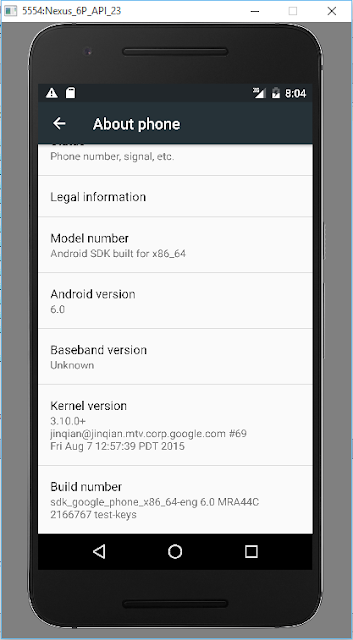
New Android Emulator Preview is available now, you can create AVD using new Emulator in Android Studio 2.0 Preview.
When I try it, dialog pop up with error message:
emulator: ERROR: Couldnt find crash service executable
C:UsersuserAppDataLocalAndroidsdk oolsemulator64-crash-service.exe
...
I check my system, I have emulator-crash-service.exe, not emulator64-crash-service.exe! I dont know is it a bug, or anything wrong in my setting.
updated@2015-12-13: Seem its a bug of the new emulator in Windows. Somebody reported this issue: https://code.google.com/p/android/issues/detail?id=196629
Anyway, the emulator still can run and deploy my Hello World. This video show steps to create AVD using new Android Emulator in Android Studio 2.0 Preview; run on Windows 10 with CPU of Intel i5.
Reference: - Android Developers Blog: Android Studio 2.0 Preview: Android Emulator - Android Tools Project Site: Android Emulator Preview (with system requirement and update SDK)