Holaa semua, Selamat malam :D . tumben kan ucapin selamat malam. haha. nah ini ada game request an lagi nih, nama Game nya Temple run 2. yap game ini sangat populer di kalangan gamers android. karena game ini controlnya simple, tp susah utk di maenin. disini kita bisa memilih banyak char. setiap char punya kemampuan beda, dan bisa diupgrade demi kesuksesan kalian berlari. oke cek it..
Details Game:
Name : Temple Run 2 Genre : Action Platform : Android Requires : Android 4.0 and up Modification on Game: - Unlimited Coins & Gems - Unlocked All char
Review Modif:
Screenshoot:
Tutorial Instal :
1. Download game.
2. Pindahkan Game ke Androidmu.
3. Uniinstal Version originalnya, jika ada.
4. Instal MOD apk & Play
5. Enjoyyy
|DOWNLOAD| {Ver.1.16}
Temple Run 2 - Unlimited Coins&Gems,Unlocked[Android Game : Moded]
Crushing candies on the bottom is better than crushing candies at the top, because candies drop down, creating the potential for a cascade effect that essentially gives you free moves.
When getting rid of jellies, only worry about the edges, especially the corners and bottoms. These jellies have the least number of combinations which can eliminate them, so will be the hardest to get rid of. Take a moment each move to see if you can get rid edge jellies and, if not, go after an easier one.
The two best combinations are the wrapped candy and the stripped candy, and the sprinkle donut hole and the stripped candy.
If you want to boost your score, match four or five candies. Here are some tips. And some more tips from the developers.
Combine special candies for screen-clearing effects.
You only have a specific number of turns to complete a stage, which the game displays at the bottom of the screen, so keep that in mind. You must reach a certain number of points to beat a puzzle. But there is a way to get more turns.
The game will spotlight potential matches if you wait a bit, but they might not be the best one for you. Pieces of candy will pulse, making them easy to spot.
Consider Buying Charms as they can greatly impact the game. For instance, the first one, Charm of Life ($16.99), increases your lives from five to eight.
Utilize the power of boosters.
Turns/lives deplete quickly, but you can ask Facebook friends for free lives or purchase more for $0.99.
Also check out this quick breakdown of all the special candy combinations you can create in the game.
Candy Crush Saga Instructions & Hints
Matching five candies in a row create a Color Bomb. Combining a Color Bomb with any candy of any color will clear all the candies of that color.
Sugar Crush: At the end of a level, if you still have Moves remaining or if there are any Special Candies remaining, then there is a sequence where you get bonus score since you performed so well.
In Candy Land, players have five lives to start with. When failing a level, a player loses a life, but the life is replenished (for free) after 30 minutes.
Sometimes you need to reconnect to Facebook again to get your Facebook messages. You can do this in the main menu by tapping the Connect icon.
You can play the full game without ever connecting to Facebook. You can even play Candy Crush Saga without an internet connection.
Charms are permanent. This means that once you buy a charm it is yours to keep forever. This also means that they may cost slightly more than other items in the game that you consume and buy over and over again.
Some Charms, like the Charm of Frozen Time, can be toggled on and off from the screen that appears when tapping a button on the map, right next to the Boosters. Other Charms, like the Charm of Stripes, is used inside the level during gameplay and is accessed by tapping the corresponding button in the top-left corner of the screen. The Charm of Life is always active.
Boosters come with a number of charges. Once you use the Booster, one charge is consumed. Boosters are much cheaper than most Charms and can be quite helpful if you find yourself in a pickle or if you are stuck on a particularly tricky level.
Android Studio New Media Fundamentals: Content Production of Digital Audio/Video, Illustration and 3D Animation
This book is a brief primer covering concepts central to digital imagery, digital audio and digital illustration using open source software packages such as GIMP, Audacity and Inkscape. These are used for this book because they are free for commercial use. The book builds on the foundational concepts of raster, vector and waves (audio), and gets more advanced as chapters progress, covering what new media assets are best for use with Android Studio as well as key factors regarding the data footprint optimization work process and why it is important.
What You Will Learn • What are the primary genres of new media content production • What new media assets Android Studio supports • What are the concepts behind new media content production • How to Install and use GIMP, Inkscape, and Audacity software • How to integrate that software with Android Studio, fast becoming the most popular IDE for Android apps design and development
Audience Primary audience includes Android developers, especially game designers/developers and others who need access to multimedia elements. Secondary: multimedia producers, RIA developers, game designers, UI designers, and teachers.
Last example "Android NFC read MifareClassic RFID tag, with android.nfc.action.TECH_DISCOVERED" read some general info of the RFID tag; such as type, size... This example dump the data inside the tag by calling readBlock() of MifareClassic.
Test on bland new MifareClassic RFID Card and Key. (Android Studio project and signed APK are available on bottom of this post, you can test on your Android devices)
MifareClassic.readBlock() is an I/O operation and will block until complete. It must not be called from the main application thread. So we have to implement our AsyncTask to perform in background thread.
new ReadMifareClassicTask(mifareClassicTag).execute();
}
private class ReadMifareClassicTask extends AsyncTask<Void, Void, Void> {
/* MIFARE Classic tags are divided into sectors, and each sector is sub-divided into blocks. Block size is always 16 bytes (BLOCK_SIZE). Sector size varies. MIFARE Classic 1k are 1024 bytes (SIZE_1K), with 16 sectors each of 4 blocks. */
MifareClassic taskTag; int numOfBlock; final int FIX_SECTOR_COUNT = 16; boolean success; final int numOfSector = 16; final int numOfBlockInSector = 4; byte[][][] buffer = new byte[numOfSector][numOfBlockInSector][MifareClassic.BLOCK_SIZE];
Other files, AndroidManifest.xml and nfc_tech_filter.xml, refer to last example "Android NFC read MifareClassic RFID tag, with android.nfc.action.TECH_DISCOVERED"
Download the files (Android Studio Format) .
Download APK .
- Similarly example run on Arduino: Arduino Uno + RFID-RC522, MFRC522 library example DumpInfo - Step-by-step to make MFRC522-python work on Raspberry Pi 2/raspbian Jessie, read RFID tags using RFID Reader, RFID-RC522. - Raspberry Pi 2 + MFRC522-python - Dump RFID Tag data using mxgxw/MFRC522-python
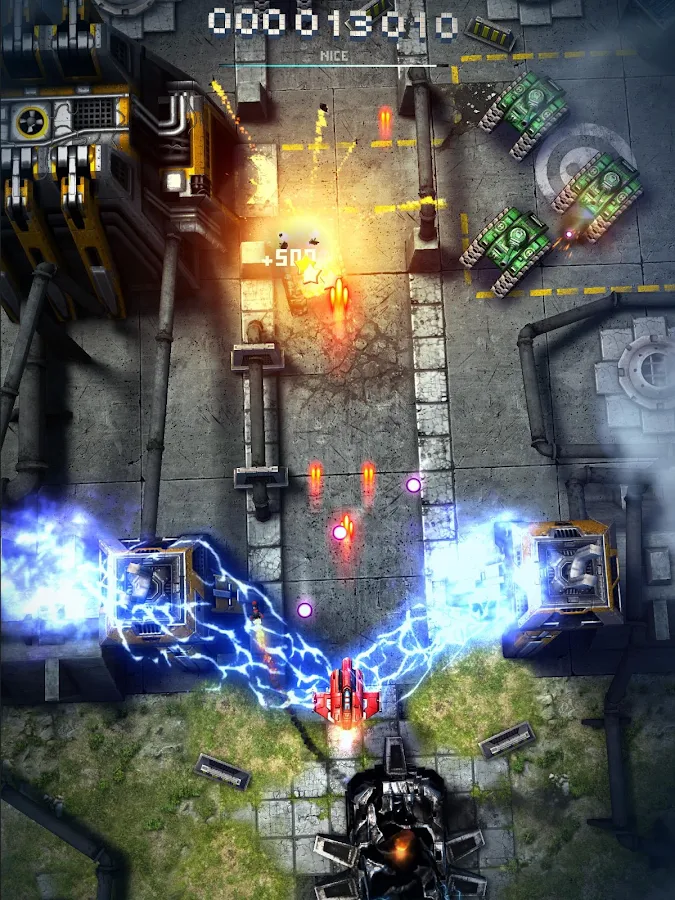
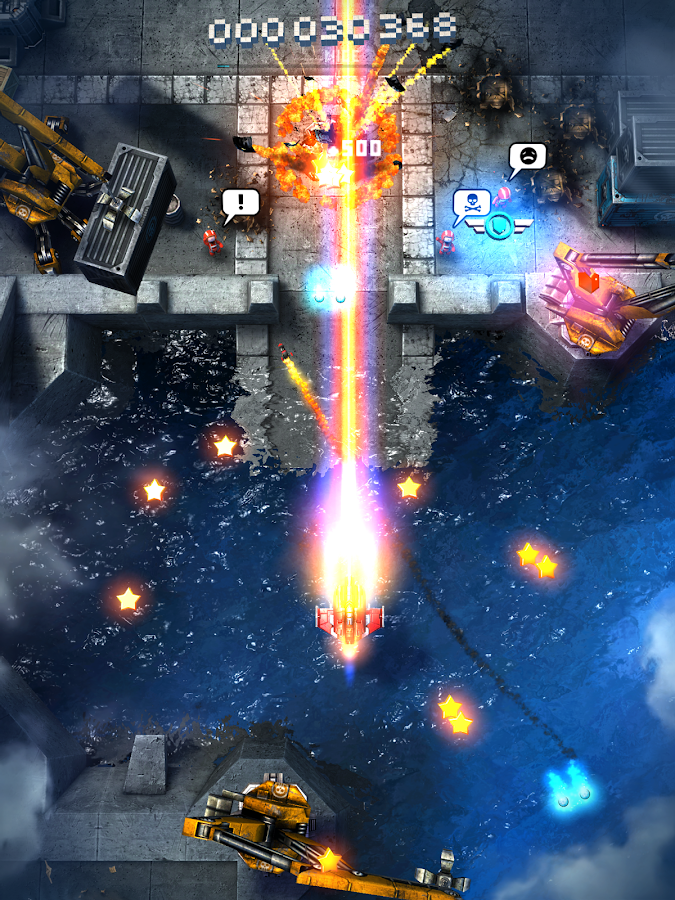
Oke pagi ini ane mau share game mod, Pada tau pasti Skyforce, game jadul yg dulu biasa lu maenin di dindong. haha. yg tau pasti masa kecilnya bahagia :p . oke kali ini game tsb ada di Android. dan kali ini ane kasih MOD nya cek itt....
Details Game:
Name : Sky Force
Genre : Action
Platform : Android
Requires : Android 4.0 and up
Modification on Game:
- Unlimited Stars - Unlocked Stage
Review Modif:
Screenshoot:
Tutorial Instal :
1. Download APK dan OBB nya terlebih dahulu
2. Pindahkan kedua nya ke androidmu, lalu instal APK nya. jgn di play dulu.
3. Extract File OBB nya, lalu Move beserta Folder nya ke "Sdcard0/Android/obb".
4. Jika sudah, play game nya.
5. Enjoyyy
|DOWNLOAD| APK
Sky Force - Unlimited Stars/Unlocked[Android Game : Moded]




 Download the files (Android Studio Format) .