Pages

Showing posts with label video. Show all posts

Tuesday, May 10, 2016

Cara Mengambil Gambar dan Video Instagram di Android

Cara Download Foto dan Video Instagram di Android - Aplikasi Instagram merupakan aplikasi sosial media yang dapat anda gunakan untuk berbagi moment berupa foto maupun video dan anda juga dapat melihat foto dan video yang di upload oleh orang lain yang anda follow. Aplikasi Instagram sekarang ini memang sangat diminiati baik itu dari kalangan selebriti, masayrakat umum hingga para pengusaha online. Nah, di Instagram Semua orang bisa share Video atau Foto dan anda bisa melihatnya secara langsung jika anda memfollow atau pun membuka Akun tersebut. Namun tentunya anda tidak akan hanya melihat saja tentang foto dan video, tentunya anda ingin memilikinya juga kan. Nah disini admin akan memberikan Cara Download Foto dan Video Instagram di Android.

Untuk yang ingin tahu bagaiamana cara mendapatakan Foto dan Video yang telah di unggah oleh seseorang pada Aplikasi INSYAGRAM, Berikut adalah ulasannya. simak baik-baik ya guys :)

1. Silahkan Unduh Aplikasi Insta Download - Video & Photo di Playstore

Cara Download Foto dan Video Instagram di Android

2. Kemudian cara untuk menggunakan aplikasi ini, pertama silahkan pilih Foto / Video di Instagram yang akan kalian Download - Lalu pilih "Copy Share URL" pada bagian bawah foto atau video

Cara Download Foto dan Video Instagram di Android

3. Setelah anda copy, buka aplikasi "Insta Download - Photo & Video" yang telah anda install tadi lalu Pastekan URL tadi pada kolom yang tersedia - Secara otomatis akan melakukan Check pada url Foto yang sudah kalian paste.

Cara Download Foto dan Video Instagram di Android

4. Jika sudah, anda bisa langsung "Save Video" dan "Download" - Lalu tunggu proses download
5.  Jika proses telah selesai, silahkan cek pada galeri foto anda

Demikian artikel kali ini tentang Cara Mengambil Gambar dan Video Instagram di Android , semoga dapat bermanfaat.
Read More..

Sunday, April 17, 2016

Cara Mengecek Kecepatan Pengisian Baterai Android

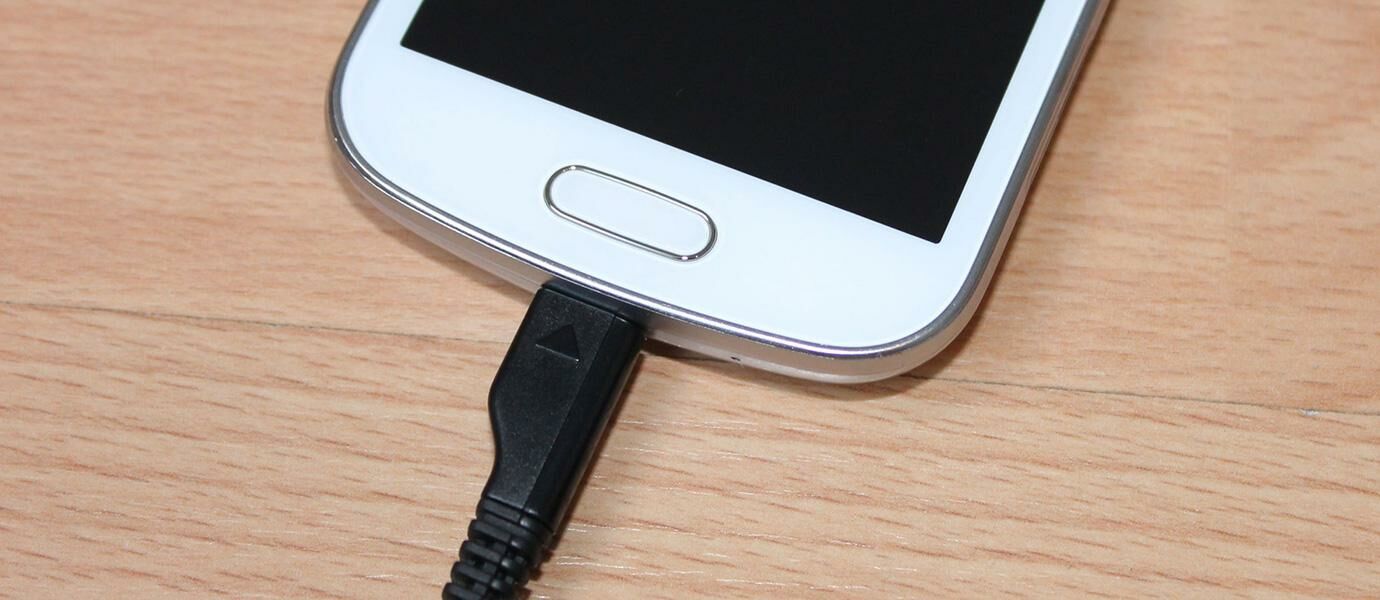
Jaman smartphone sekarang ini setiap perusahaan smartphone berlomba-lomba membuat smartphone dengan spesifikasi yang sangat tinggi demi mencapai point benchmark yang tinggi juga. Tidak hanya itu, setiap aplikasi juga bersaing memberikan fungsi yang terbaru, terlengkap, hingga grafis dengan resolusi tinggi. Yang menjadi masalah adalah baterai, dimana semakin berat maka semakin cepat juga habisnya. Maka tidak asing lagi ketika sekarang kita melihat banyak sekali baterai smartphone dengan kapasitas yang cukup besar.
Ada salah satu aplikasi gratis untuk kamu pengguna Android, yaitu Ampere. Aplikasi ini akan mengecek kesehatan dari baterai maupun charger kamu dengan melihat kecepatan ketika pengisian baterai. Pasti kamu pernah merasakan keadaan dimana memerlukan waktu yang sangat lama untuk mencapai 100%. Dengan aplikasi ini kamu dapat mengecek apakah ada kesalahan dalam pengisian seperti arus listrik (Ampere) yang kurang dan status pengisian. Di bawah ini adalah contoh data yang ditampilkan oleh Ampere.Tetapi perlu diketahui juga, ada beberapa metode dalam pengukurannya. Jadi perbedaan kabel, charger, hingga jenis smartphone akan menentukan hasilnya.

From ; Jalantikus
Read More..

Monday, March 7, 2016

Cara Mendownload Video MP4 di Facebook pada Hp Android

Cara Mendownload Video/MP4 di Facebook pada Hp Android - Seperti anda ketahui banyak sekali video-video yang muncul di medso nomor wahid ini yaitu Facebook. Video yang mucul di Facebook ini adalah hasil share dari para pengguna FB. Tanpa kita sadar terkadang video di Facebook akan berjalan secara otomatis asalkan internte di Hp kita cepat. Tahukah anda, jika kita juga bisa mendownload video yang sudah disebar di FaceBook. Disini saya akan meberikan tips triknya, Mau tahu caranya ?? simak saja tutorial berikut ini.

Video Facebook
Untuk melakukan download Video/MP4 di Facebook pada Hp Android anda diharuskan untuk menggunakan bantuan pihak ketiga, yang bernama MyVideoDownloader for Facebook yang dikembangkan oleh gainnz.


Aplikasi MyVideoDownloader for Facebook memiliki beberapa fitur diantaranya adalah menyukai, berbagi dan menandai video, download video dari halaman beranda Facebook anda, download video dari group dan halaman serta masih banyak fitur yang menarik lainnya. Selain itu, aplikasi ini dapat men-download video secara langsung tanpa harus meng-copy link video terlebih dahulu.  


Cara Mendownload Video/MP4 di Facebook pada Hp Android dengan  MyVideoDownloader :

1. Silahkan anda unduh terlebih dahulu aplikasi MyVideoDownloader melalui Play Store.
2. Kemudian jalankan aplikasinay. Silahkan anda login menggunakan akun Facebook anda.
3. Geser ke kanan menu navigasinya, selanjutnya pilih "News Feed" untuk mencari video yang akan anda download. 

Download Video Facebook

4. Selanjutnya klik pada icon anak panah ke bawah. Lalu pilih "Download".

Download Video Facebook

5. Maka video akan secara otomatis ter-download dan tersimpan pada memory smartphone anda.

Gimana cukup mudah dan simpel bukan? Begitulah Cara Mendownload Video/MP4 di Facebook pada Hp Android. Selamat mencoba dan semoga bemanfaat.
Read More..

Wednesday, February 24, 2016

Android Layout properties

Here is a list of some of the layout properties used in different layout managers in android


Property

Possible Values

Notes

android:layout_width

  • "wrap_content”:adjusts the size of the control to fit according to its contents. 
  • “fill_parent”: adjusts the size of the content to fit all the available space of the parent.
  • numeric value of pixels(px), points(pt), inches(in), millimeters(mm), Density(dp) density-independent pixels based on 160 dpi (dot per inch), Scale (sp) Scale-independent pixels (dimensions that allow for user sizing; helpful for use in
    fonts).


android:layout_height

Same as android:layout_width


android:orientation

Vertical or horizontal

Used as a property for the container in LinearLayout

android:layout_weight

Numeric value: determines the ratio by which widgets share empty soace in the container. The lower value occupies more space


android:layout_gravity

  • top:widget positioned at the top of the container.
  • Center: positioned at the center of the container both vertically and horizontally.
  • center_horizontal: positioned at the horizontal center of the container.
  • Center_vertical: positioned at the vertical center of the container.
  • Bottom: positioned at the bottom of the container.
  • fill_horizontal: grows the vertical size of the widget if needed, so it completely fills the container.
  • fill_vertical: grows the horizontal size of the widget if needed, so it completely fills the container.
  • fill: grows the size if needed of the widget both horizontally and vertically so it fills the container.
  • Clip_vertical: Additional option that can be set to have the top and/or bottom edges of the child clipped to its containers bounds. The clip will be based on the vertical gravity: a top gravity will clip the bottom edge, a bottom gravity will clip the top edge, and neither will clip both edges.
  • Clip_horizontal: Additional option that can be set to have the left and/or right edges of the child clipped to its containers bounds. The clip will be based on the horizontal gravity: a left gravity will clip the right edge, a right gravity will clip the left edge, and neither will clip both edges.


android:gravity

Same as android:layout_gravity

Used for the content of a widget

android:padding

  • Apply padding value to the four edges of the widget.
  • numeric value of pixels(px), points(pt), inches(in), millimeters(mm), Density(dp) density-independent pixels based on 160 dpi (dot per inch), Scale (sp) Scale-independent pixels (dimensions that allow for user sizing; helpful for use in
    fonts).


android:paddingTop

  • Applies padding value to the top of the widget.
  • Values same as android:padding


android:paddingBottom
  • Applies padding value to the bottom of the widget.
  • Values same as android:padding


android:paddingRight

  • Apply padding value to the right of the widget.
  • Values same as android:padding


android:paddingLeft
  • Apply padding value to the left of the widget.
  •  Values same as android:padding


android:layout_alignParentTop
True|false: used in relative layout, aligns the widget’s top edge with the top of the container

android:layout_alignParentBottom
True|false: used in relative layout, aligns the widget’s top edge with the bottom of the container

android:layout_alignParentLeft
True|false: used in relative layout, aligns the widget’s left edge with the left of the container

android:layout_alignParentRight
True|false: used in relative layout, aligns the widget’s right edge with the right of the container
Read More..

Wednesday, March 19, 2014

Zune survey points to video downloads

Snapshot of zune survey video downloadsApparently, video is all the rage these days. Just ask the folks who received a survey from Microsoft about services which may or may not be coming to the Zune.

Its possible your heart might skip a beat when you read questions like, "I would rather download a movies from an online service than buy a DVD," or, "My friends and I regularly send each other links to online videos." Though the question, "Im willing to carry a larger MP3 player if it improves the quality of the display," could just be suggesting a new Zune-XXXL is on the way. Regardless of what it you take away from these cryptic messages.


Source- http://www.engadget.com/2008/02/25/zune-survey-points-to-video-downloads/
Read More..