Pages

Showing posts with label up. Show all posts

Thursday, March 24, 2016

Android Revolution Needs Your Help! Setting up new servers

Android Revolution HD for various devices has been downloaded more than 4 million times during last 3 years (from official sources). With the average of 1GB  size per ROM, that means almost 4000 terabytes of data we transferred to our users in 3 years, not to count other files (mods, kernels, fixes etc.). With such amount of data this places Android Revolution HD among the most popular custom ROMs.

This also brought us some problems – most servers we used to date can’t manage such traffic. Weve also lost our androidrevolution.nldomain lately, that’s why you can’t download anything at the moment (we hope to fix that as soon as possible).

Now we need to set up some new servers and bring back download links to life. For that we’ll need some extra funds. If you’d like to contribute, please use the PayPal donation link below. We want to ensure that every time you click on the download link you’ll be able to get what you want within minutes, without waiting for hours until download is complete! Any amount counts and helps!


With that being said, I cant thank enough to Lizard, Android Revolution member since the beginning whos taking technical care of the servers. You wont be able to download anything without him!

For latest news follow Android Revolution HD on popular social platforms:

Read More..

Saturday, February 20, 2016

The future of Android Revolution HD


Its been quite a long time since I updated some of custom ROMs for HTC One series devices. This weekend I was able to release 2 major update for the HTC One M8 and HTC One M9.

Android Revolution HD 14.0 | High Quality & Performance | 2.10.401.1 | ARMv8 64
Re-build from the beginning using latest 2.10.401.1 base
De-odexed using latest tools with better arm64 support
SuperSU updated to latest 2.52
Updated Google apps
Updated custom apps
Updated HTC apps
Sense Toolbox updated to latest 2.2.1
Total ROM size reduced by almost 200MB
Other minor changes and fixes
Android Revolution HD 45.0 | ART | High Quality & Performance | Sense 7.0
Based on the latest 4.16.401.13 update
SuperSU updated to latest 2.52
Updated Google apps
Updated custom appsUpdated HTC apps
Sense Toolbox updated to latest 2.2.1
Total ROM size reduced by almost 200MB
Other minor changes and fixes
Now, the short story. If youre wondering whats the reason behind my little activity on the custom ROMs development field, its because last 4 months brought a lot of changes in my life. In June 2015 I became a proud father of the most beautiful girl in the world. As you can imagine, priorities changed :)


Also, I got married with my fiancée few weeks ago. We planned this marriage since 2013, but as always, last few weeks of preparations were extremely busy. Plus the baby was already here :)

Its worth to mention, that during last few years Android Revolution HD was the most popular custom ROM for high-end HTC devices. With a total number of 6.430.689 downloads (6,5 millions !!!) Android Revolution custom ROMs series became the biggest and most desirable custom ROM for the HTC high-end devices.

Android Revolution HD will still be supported, and all projects will be still continued. I just cant spend as much time on it as I used to spend in the past. Plus the the real life business I own expanded and developed significantly, so I need to focus now on my family and work. Both needs me :)

PS. Im thinking about getting a Nexus 6P as my next daily device, as soon as its available in my country. Are you considering Nexus 6P as your next device too? Would you like to run Android Revolution HD on it? Let me know, as Im trying to find out if its worth to start N6P custom ROM development.

Do you have any questions or comments? Feel free to share! Also, if you like this article, please use media sharing buttons (Twitter, G+, Facebook) below this post!


For latest news follow Android Revolution HD on popular social platforms:

Read More..

Thursday, February 11, 2016

Eclipse Set up and New Android Project

The first steps of configuring Eclipse to create android applications and the steps involved in creating a first android project are very well described in this blog at the screencast site. Hence I am not repeating the same here.
Read More..

Tuesday, February 9, 2016

Android Eclipse link Error New Project

I set up a new environment on my new laptop with Windows7 and jdk1.6.0_21 version. Did the initial setup with eclipse installation, android SDK installation, installing the ADT plugin on eclipse etc. I then imported all the android projects I had created so far. It worked perfectly fine.
Next I created a simple project without any custom stuff, it failed to create with a link error as shown in the image below:

After much trial and error, setting up everything afresh, changing or creating a new workspace, nothing seemed to work. I noticed that the Android package was not visible in the Java build path that you get to see in the project properties. So, finally I found a manual workaround to overcome this problem if you mandatorily want to continue working in the same workspace
Solution: Same workspace:
The manual resolution I found is to make a classpath entry in the .classpath file outside the eclipse environment.
The .classpath file may have such an entry before you edit it:
<?xml version="1.0" encoding="UTF-8"?>
<classpath>
     <classpathentry kind="src" path="src"/>
     <classpathentry kind="src" path="gen"/>
     <classpathentry kind="output" path="bin"/>
</classpath>

So add an entry for the android framework to be included as shown below:
<?xml version="1.0" encoding="UTF-8"?>
<classpath>
     <classpathentry kind="src" path="src"/>
     <classpathentry kind="src" path="gen"/>
     <classpathentry kind="con" path="com.android.ide.eclipse.adt.ANDROID_FRAMEWORK"/>
     <classpathentry kind="output" path="bin"/>
</classpath>

What actually corrupted my workspace, i have not yet figured out. However, while searching on the web for all possible solutions, I came across the announcement on the eclipse forums that Eclipse 3.3 to 3.6 on windows platform is not stable with the JDK version -  jdk1.6.0_21. Hence we need to either roll back to patch 20 or upgrade to 22. I have upgraded and see that eclipse is far more stable now.
Please see this link for more details on the windows and jdk problem mentioned above:
http://www.eclipse.org/forums/index.php?t=msg&th=171988&start=0&
Solution: Different or new workspace:
Just upgrade your JDK to jdk1.6.0_22 and point eclipse to use this as the default JDK. Create a new workspace and you are done. It fixes the problem.
Hope this helps many not to waste time on searching a solution that is not to do with the way you are coding but with the environment set up itself. I had to spend quite a bit of my precious time before figuring this out. 
Read More..

Thursday, March 20, 2014

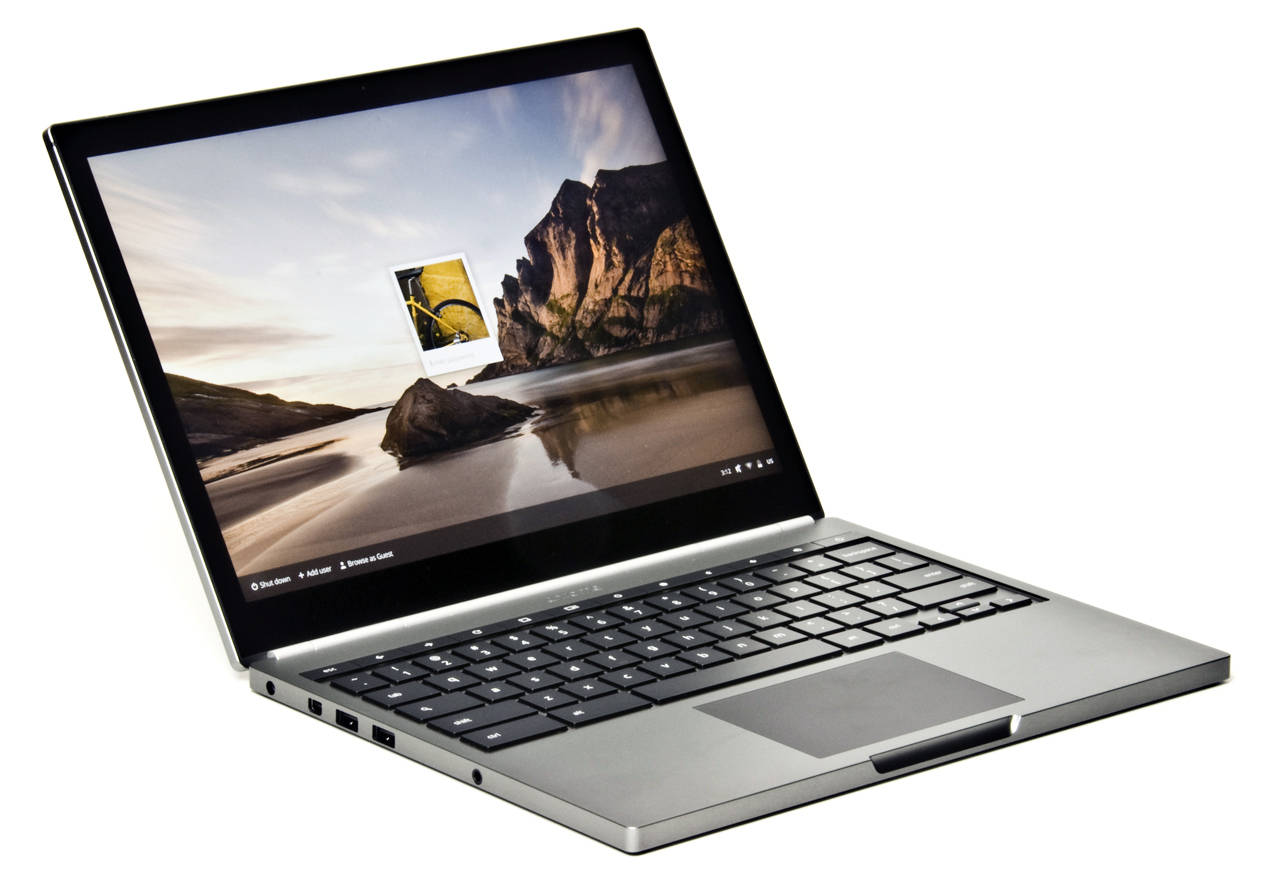
One desktop to rule them all Why Chromebook should mop up


With the rise and fall of PC sales worldwide over the last few years , one thing is clear. The shift to a more mobile OS has been a transition not only in large numbers but in getting end users away from their Windows powered OS to something else.

That something else is either iOS or Android, sometimes Windows Phone or Googles Chromebook OS. Whats interesting is that all three (Apple, Google and Microsoft) have all got a finger in each of the pies - however both Windows and Apples OS have been established for quite a while and both have seen a decline in sales (in some form) for desktop over the last 2-4 years - with Microsoft seeing the biggest fall.

Chromebooks have been dominating their sector with increased sales and often listed as the #1 sub $300 laptop on Amazon. You can use the same +Google  services on your phone as you can on the Chromebook, Google Docs, Drive etc all work but it has its draw backs. Namely the inability to find network shares, NAS or SAN devices, these features alone stop me from getting a Chromebook. I absolutely love the idea of the device but it misses the mark a little, or maybe Im missing the point - until Google addresses this issue or finds a way round it then Ill be out of this battle for quite a while. 

Google really have a great opportunity to integrate some of Androids best bits and Chrome, throw in a few extra features and you have a brilliant idea which could grow into a true powerhouse of a desktop, at a price we all can swallow. Mobile has shown us that we can do so much with our handsets, and many features contained in a desktop OS like Apples and Microsofts are unloved or wanted - many dont need to have a "start" button, the masses just want access to email, music, documents, browsing and file access, be it photos or alike. After all how many do you know just use a PC for social media and email ?! I bet its quite high in terms of numbers..

Microsoft will continue to sell a dead horse for a while at least, their newer Metro style is their attempt to match an overall experience across all devices - again misses the mark as the PC will cost you north of $500-$600, and Apple just have a full bloodied desktop OS on a very pricey mac. Which leaves the space that Google are currently operating in - and doing bloody well.

There will always be a need for a PC for those that need one, that will never go away but in terms of where the market is going, unification of mobile and desktop is a good target to aim for.

If Google can get this right, and I mean right now. They could just be able to make the one desktop to rule them all. 


Read More..