Pages

Showing posts with label fix. Show all posts

Wednesday, May 11, 2016

Smash the School Stress Fix! Unlimited Coins Android Game Moded


Salam Blogger :) 
UAS UAS dan UAS. 2 Minggu full dengan UAS. jadi jarang update blog. yaudh mumpung besok libur, update dulu deh. Game ini punya misi ancurin kelas kita. gede2an nilai sama temen kita, seru2an aja sih benernya. disini kita juga bsa beli weapon dan character sehingga lebih kece buat ancurin sekolah. haha. oke itu cuman penjelasan singkat, langsung aja di download game nya :) 

Details Game: 
Name      : Smash the School~Stress Fix!
Genre      : Action
Platform  : Android 
Requires  : Android 4.0.3  and up

Modification on Game: 
- Unlimited Coins


Review Modif:

Screenshoot:


Tutorial Instal : 
1. Download game. 
2. Pindahkan Game ke Androidmu.
3. Uniinstal Version originalnya, jika ada.
4. Instal MOD apk & Play
5. Enjoyyy 

|DOWNLOAD|
Smash the School~Stress Fix!- Unlimited Coins[Android Game : Moded]

|Download Original game|
On Playstore


#Salam Blogger
#Semoga bermanfaat :)
#Ask? comment :) 
Read More..

Monday, March 21, 2016

Runtastic on Android Wear


By Austin Robison, Product Manager, Android Wear


Fitness apps make  great additions to Android Wear. Let’s take a look at one of our favorites, Runtastic. Runtastic is a fitness app that lets you track your walks, runs, bike rides and more. With Runtastic on Android Wear, youll see your time, distance, and calories burned at a glance on your wrist. You can also start, stop and pause your activity by touch. Tuck your phone away in a pocket or backpack and do everything on your watch.


Its challenging to build user experiences that really come alive on Android Wear because its such a new type of device. Runtastic does a great job of showing the right information and providing just the right controls on the screen on your wrist. Lets dig into some of the Android Wear platform features that Runtastic uses to make such a great user experience.

Voice Actions

Android Wear enables developers to launch their activities with voice. Runtastic responds to “Ok Google, start running” by beginning to track a session and displaying a card with your total time. This means you can start exercising without needing to pull your phone out of a pocket or arm strap. Android Wear is all about bringing you useful information just when you need it and enabling users to quickly and easily take action.


runtastic_01.png


Responding to platform voice intents on Wear is as simple as declaring a standard intent filter to start an activity.  For example, to launch your activity for the “start running” voice action, add the following to your activity’s entry in your AndroidManifest.xml:


<intent-filter>
   <action android_name="vnd.google.fitness.TRACK"/>
   <category android_name="android.intent.category.DEFAULT"/>
   <data android_mimeType="vnd.google.fitness.activity/running"/>
</intent-filter>


Custom Cards

Once a user has started a run, Runtastic inserts a card in the stream as an ongoing notification to ensure it is ranked near the top of the stream during the activity. This card uses the setDisplayIntent() function to display custom UI. It provides quick, glanceable information, showing your activity time. Cool!


When the user swipes to the right of the card to expose its actions, we see some quick and easy to understand options; following the Android Wear style guidelines means that Runtastic has a familiar UI and feels like a natural extension of the watch. There are actions for pausing, stopping, and an action to see more details on the run.  This action launches a full screen Activity where Runtastic draws a completely custom layout.


You’ll notice this data updates live; Runtastic makes use of the Wearable Data Layer API in Google Play Services to synchronize data between the phone and the watch. Its an easy to use API for syncing data between your devices.


Background Services

When a user finishes their run, Runtastic presents them with a special summary card that appears only on the watch. In this case, the notification is generated directly on the watch by a Service. This Service uses the Data Layer to receive information about the completed activity from the phone to the watch, including an image of a map of the user’s run generated through the Google Maps API.


To show that information, the app uses Android Wear’s NotificationManager, which functions just like the NotificationManager on a phone or tablet, except that instead of creating notifications in the pull-down shade, they appear in the stream.


Runtastics implementation on Android Wear is a perfect example of how to take advantage of wearables to make something truly useful for users. For more information on these and other great platform features, please see the developer documentation.


For more inspiring Android Wear user experiences, check out this collection on the Play Store!


Posted by Mano Marks, Google Developer Platform Team
Read More..

Thursday, March 10, 2016

Zombie Hunter War of The Dead Unlimited GOLD Money Android Game Moded


Salam Blogger :) 
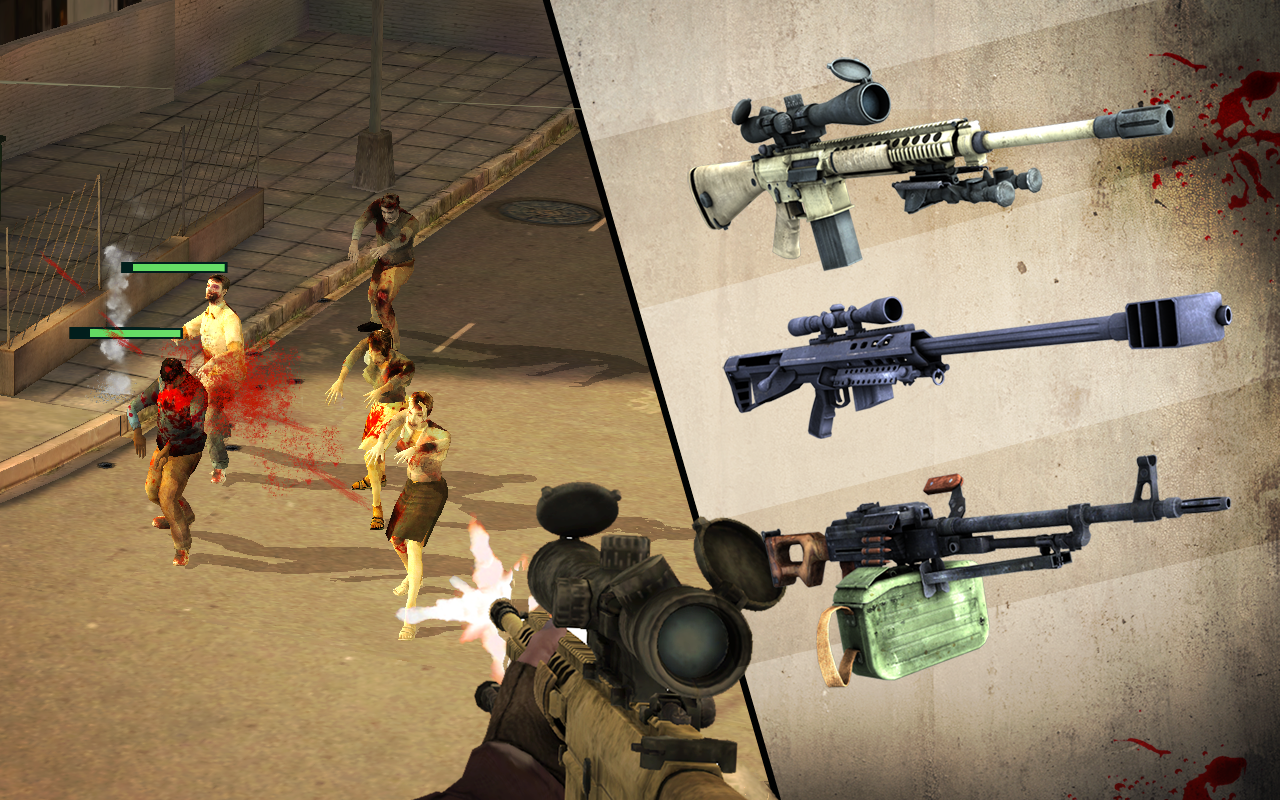
Hai, malam yang biasa2 saja. dan token listrik yang sudah mulai habiss. oke pada kesempatan kali ini saya akan share lagi game mod nih yang bertema zombie. Zombie Hunter:War of The Dead . dan ini sudah di MOD sehingga GOLD dan money unlimited. jadi kamu bsa deh beli senjata yang langsung bagus untuk membunuh zombie2 liar itu. oke langsung aja cek it dot : 

Details Game: 
Name      : Zombie Hunter:War of The Dead-
Genre      : Shooting
Platform  : Android 
Requires  : Android 4.0  and up

Modification on Game: 
- Unlimited Money
- Unlimited Gold


Review Modif:

Screenshoot:


Tutorial Instal : 
1. Download game. 
2. Pindahkan Game ke Androidmu.
3. Uniinstal Version originalnya, jika ada.
4. Instal MOD apk & Play
5. Enjoyyy 


|DOWNLOAD|
Zombie Hunter:War of The Dead- Unlimited GOLD&Money[Android Game : Moded]

|Download Original game|
On Playstore


#Salam Blogger
#Semoga bermanfaat :)
#Ask? comment :)
Read More..

Saturday, February 20, 2016

How to Fix no access to the virtual SD card after Android Lollipop update


This solution is based on the experience with some HTC and Nexus devices, however it will work on any device running Android Lollipop or newer/older Android OS with SELinux (Security-Enhanced Linux) kernel security module.

Whats the problem? Sometimes you might not be able to access the content of the internal userdata memory, also known as "virtual SD card" - located as /data/media/0 on the userdata partition. The "bad" workaround is to boot the device in a recovery mode and gain the access to all files from there, but this doesnt solve the problem at all.

Repair Process
Note: root required!
  1. Download this mini-sdk package and extract it to c:mini-sdk
  2. Connect your device to the PC
  3. Start up the device normally, wait until system is fully loaded
  4. Open a command prompt on the PC (cmd.exe), type and confirm each command with ENTER:
  5. cd /d c:mini-sdk
  6. adb shell
  7. su
  8. restorecon -FR /data/media/0
  9. exit
Whats going to happen? Restorecon is a program used to restore file(s) default SELinux security contexts. It can be run at any time to correct errors or to add support for new policy. With a corrected SELinux security context for the /data/media/0 you will be able to access the content of the virtual SD card again.

Do you have any questions or comments? Feel free to share! Also, if you like this article, please use media sharing buttons (Twitter, G+, Facebook) below this post!


For latest news follow Android Revolution HD on popular social platforms:

Read More..